Most PHP frameworks force a trade-off. Some are so large that you need weeks to understand what happens between a request and a response. Others are so minimal that you end up assembling routing, validation, sessions and a database layer yourself.
Webrium aims for the middle: a lightweight PHP framework for building web applications and JSON APIs that feels as productive as a full-stack framework, while staying small, explicit and easy to read from end to end. Webrium 5 is the current major version, and this post gives you a tour of what it offers, how to install it, and how to write your first route.
What Is Webrium?
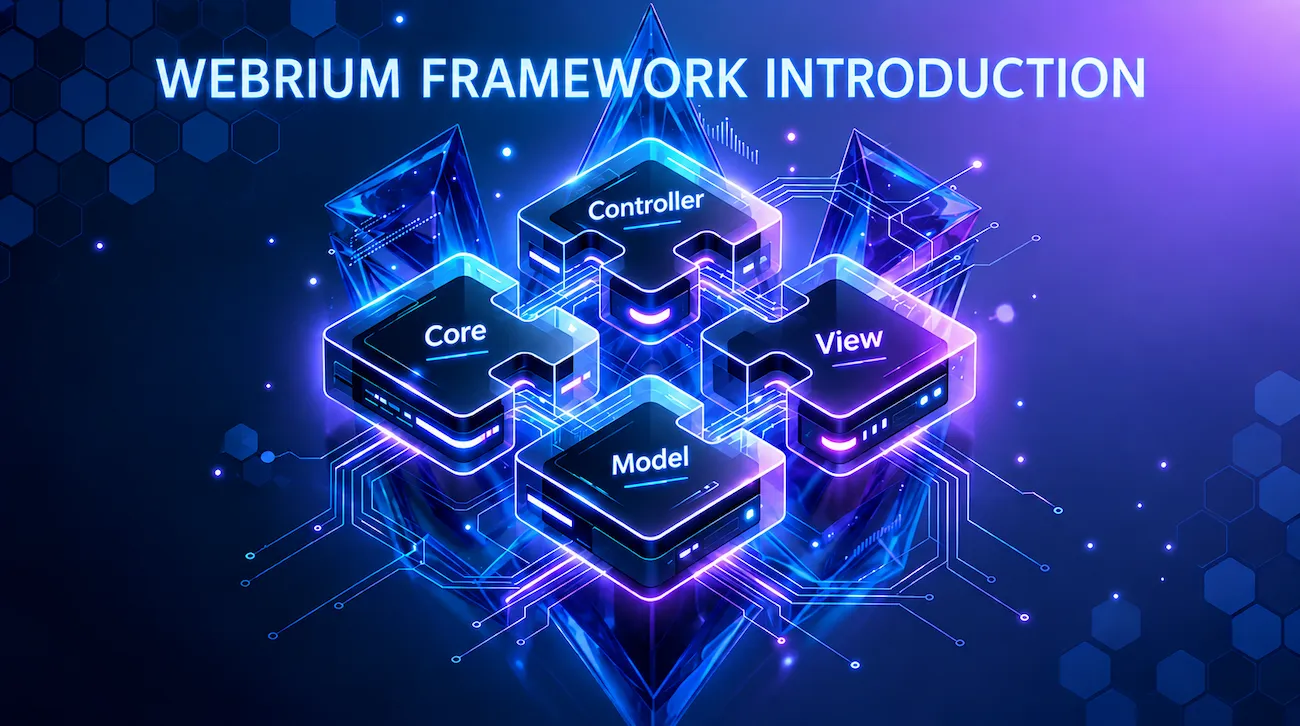
Webrium is a modular PHP framework. Instead of one monolithic codebase, it is the sum of four focused packages.
webrium/core provides routing, controllers, requests and responses, sessions, validation, file uploads, an HTTP client, JWT, hashing, events, localization, error handling and task scheduling.
webrium/foxdb is the database layer: a query builder, an ORM, relationships, a schema builder, migrations, seeders and pagination.
webrium/view is the templating engine, with layouts, components and a hybrid static cache.
webrium/console is the webrium command-line tool for scaffolding, migrations, plugins and scheduling.
The webrium/webrium skeleton ties them together with a sensible directory layout, default configuration and a Vite + Tailwind asset pipeline, so you get a working app right after installation.
The packages are also published separately. You can add FoxDB to a legacy project that needs a better query builder, or use webrium/view inside another framework. The only exception is webrium/console, which is designed to work inside a Webrium project.
Design Principles
Four ideas shape the framework.
Webrium keeps a small surface area: each class has one job and a short, predictable API. It prefers explicit over magical: the boot order and request lifecycle are visible in your own public/index.php, with no hidden bootstrappers. It is composable: packages depend on each other only where it makes sense, and you can swap any of them out. And it ships with safe defaults: uploads validate real MIME types, hashing uses modern algorithms, and JWT verification checks signatures and time claims by default.
A Tour of the Features
Routing and controllers
If you have used Laravel, the routing API will feel familiar. It supports all the common HTTP verbs, route groups with prefixes and middleware, named routes, typed parameters such as {id:int}, {slug:slug} and {token:uuid}, and optional parameters such as {page?:int}.
use Webrium\Route;

Route::get('/hello/{name}', fn(string $name) => "Hello, {$name}!");

Route::group(['prefix' => 'api'], function () {
    Route::get('/users/{id:int}', 'UserController@show');
});
Controllers are plain PHP classes with no base class to extend. Route parameters are coerced to the scalar types you declare, and optional boot() and teardown() hooks run before and after your action. Whatever you return is turned into a response: strings are sent as text, and arrays or objects become JSON.
Requests, validation and sessions
The input() helper reads query strings, form data and JSON bodies. A fluent validator covers everything from required() and email() to regex(), confirmed() and date().
$validator = new Validator();
$validator->field('email')->required()->email();
$validator->field('age')->required()->integer()->min(18);

if ($validator->fails()) {
    return respond(['errors' => $validator->getErrors()], 422);
}
Sessions start automatically, and flash messages, validation errors and old input make form handling with redirects straightforward. CORS and security headers can be configured in a single call each.
Security building blocks
The core package ships with the tools most applications need. File uploads detect the real MIME type from the file's bytes, check that the extension matches the content, block executable extensions and sanitize file names. Hashing uses bcrypt by default, with Argon2 available, plus HMACs, tokens and UUIDs. JWT support issues and verifies HS256, HS384 or HS512 tokens and validates the standard time claims. An HTTP client built on cURL handles JSON, authentication, timeouts and multipart requests, and a simple event system lets you decouple parts of your application.
Database with FoxDB
FoxDB is a zero-dependency database layer on top of PDO. It supports MySQL, PostgreSQL and SQLite with one API, and every value goes through bound parameters.
$users = DB::table('users')
    ->where('active', 1)
    ->orderBy('created_at', 'desc')
    ->limit(10)
    ->get();

$user = User::create(['name' => 'Ali', 'email' => '[email protected]']);
On top of the query builder you get an Eloquent-style ORM with casts, mass-assignment protection and relationships: one-to-one, one-to-many, many-to-many, has-many-through and eager loading. A schema builder, migrations, seeders and pagination complete the picture.
Templates with Webrium View
The view engine compiles templates to plain PHP, with no eval and no DOMDocument. Output is escaped by default, and conditionals and loops are written as attributes on HTML elements, which keeps templates valid HTML and friendly to Vue, Alpine, htmx and Livewire.
<ul>
    <li w-for="$users as $user">@{{ $user->name }}</li>
</ul>
You also get layouts, components and a hybrid cache that stores rendered pages as static HTML with a TTL, so high-traffic pages can skip both template rendering and database queries. There is even a built-in Editor.js parser that turns block-editor JSON into clean HTML.
The webrium CLI
The console tool generates models, controllers, routes, migrations and seeders, runs migrations, manages databases, tails logs and installs plugins. Plugins are zip packages that can copy files, run SQL and hook into installation.
Task scheduling
Recurring jobs are defined in PHP, and a single cron entry runs them all, with overlap protection and per-task error isolation.
use Webrium\Schedule;

Schedule::call('App\Services\ReportService@generateDaily')
    ->name('reports.daily')
    ->dailyAt('01:00');
Frontend pipeline and localization
The skeleton comes configured with Vite, Tailwind CSS and daisyUI. Skip it if you are building a headless API. Translations are file-based, and default validation messages ship for seven locales: Arabic, German, English, Persian, Japanese, Russian and Chinese.
What's New in Webrium 5
Webrium 5.0, released in June 2026, focused on a more expressive router, safer defaults and cleaner internals. It added typed and optional route parameters, method spoofing for HTML forms, richer middleware responses (return an array to short-circuit with JSON), automatic scalar type coercion for controller parameters, and the response helpers html(), json() and text(). JWT verification and file uploads were hardened, and helper functions are now loaded through Composer's autoloader instead of manual loading.
Webrium 5.1, released in September 2026, added the task scheduler and its console commands: schedule:run, schedule:list, schedule:test and schedule:work.
Requirements
You need PHP 8.1 or newer with the curl, mbstring, json and openssl extensions, and Composer. Node.js and npm are only needed if you want the bundled Vite + Tailwind pipeline. Any web server works: Apache, nginx or PHP's built-in server.
Install Webrium in One Command
composer create-project webrium/webrium my-app
cd my-app
Composer installs the framework, copies .env.example to .env and places the webrium CLI in your project root. Start the development server:
composer serveOpen http://127.0.0.1:8000 and you will see the Webrium welcome screen. If you use the asset pipeline, run npm install once and then npm run dev to start Vite alongside PHP with hot reloading.
Configuration lives in the .env file, which holds your database credentials, APP_DEBUG and APP_LOG_ERRORS. You can read values anywhere with env('DB_HOST', 'localhost').
Your First Route
Open app/Routes/Web.php and add a route:
use Webrium\Route;

Route::get('/hello/{name}', function (string $name) {
    return "Hello, {$name}!";
});
Visit http://127.0.0.1:8000/hello/world and you should see Hello, world!.
The Project Structure
my-app/
├── app/
│   ├── Config/        ← configuration loaded at boot (DB.php)
│   ├── Controllers/
│   ├── Models/
│   ├── Routes/
│   └── Views/
├── database/
│   ├── Migrations/
│   └── Seeders/
├── public/            ← the only directory exposed to the web
│   └── index.php      ← entry point
├── resources/         ← frontend sources (CSS, JS)
├── storage/           ← sessions, logs, cache, translations
├── .env
└── webrium            ← CLI binary
The App\ namespace maps to the app/ directory through PSR-4. In production, point your web server's document root at public/ only.
Nothing Hidden in the Request Lifecycle
Every request enters through public/index.php, and the essential boot sequence is three calls:
App::initialize(__DIR__ . '/..'); // root path, helpers, URL setup
Route::source(['Web.php']);       // register your routes
App::run();                       // match, dispatch, respond
The router matches the request, runs any middleware, then hands the handler to the kernel. The kernel instantiates your controller, calls boot(), runs the action and sends the response. Because it all lives in your own entry point, debugging is easy to follow.
Who Is Webrium For?
Webrium is a good fit if you want a familiar, Laravel-like routing experience with a smaller footprint, and if you prefer explicit code over hidden conventions. It suits JSON APIs, small to medium web apps and internal tools. It also works well if you want to adopt just one piece, such as the query builder or the template engine, in an existing project.
Where to Go Next
The full documentation is at https://webrium.dev/docs/v5/getting-started/introduction. From there, continue with Installation and Configuration, then Routing and Controllers, FoxDB, the Template Engine, the Console commands and Task Scheduling. The source code lives at https://github.com/webrium.
FAQ
What is Webrium?
Webrium is a lightweight, modular PHP framework for building web applications and JSON APIs. It is made of four packages (core, FoxDB, view and console) that work together or independently.
What are the requirements?
PHP 8.1 or newer with the curl, mbstring, json and openssl extensions, plus Composer. Node.js is only needed for the optional asset pipeline.
Can I use only part of Webrium?
Yes. Core, FoxDB and the view engine are published as separate Composer packages and can be installed into any PHP project. Only the console package is tied to a Webrium project.
Which databases does it support?
MySQL, PostgreSQL and SQLite, through FoxDB and PDO.
Is it free?
Yes. Webrium is open source under the MIT license.